Key takeaways
- Most HDMI cables bought in the last several years, rated to at least High Speed, already carry eARC's audio without any trouble at all.
- The word eARC printed on a cable's retail packaging is a marketing label, not one of the HDMI Forum's actual certification tiers.
- Cable length is where problems actually start, particularly on runs past about 5 to 10 metres or anything routed inside a wall.
- A cable also carrying 4K 120Hz video for a games console or PC needs to meet HDMI 2.1's full 48 Gbps Ultra High Speed certification, a separate requirement from eARC's own modest audio bandwidth.
- An old or uncertified cable already in use is usually fine for eARC if it already passes 4K video reliably, but should be replaced on any sign of physical damage regardless.
No, not in most homes. A cable bought in the last several years, rated to at least High Speed, already carries eARC’s audio without any trouble, and only a specific handful of situations actually call for buying a new one.
The confusion mostly comes from packaging, not physics. Retailers print the word eARC on cable boxes as a selling point, which makes it sound like a distinct product category when it usually is not.
The word eARC on a cable’s packaging is not a real certification
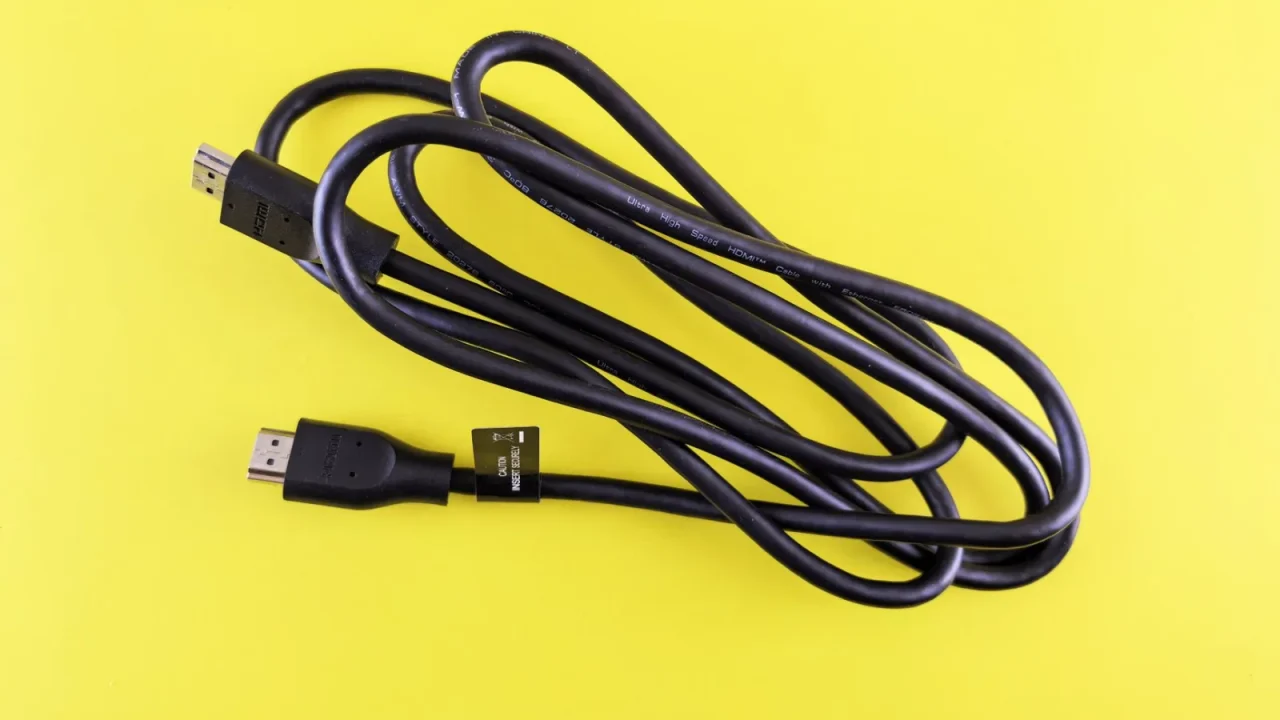
The HDMI Forum defines a small set of actual certification tiers: Standard, High Speed, Premium High Speed since around 2017, and Ultra High Speed since 2020, rated for 48 Gbps. eARC audio itself needs only a fraction of that, roughly 37 Mbps, which any of those tiers handles without strain.
| Certification | Approx bandwidth | Carries eARC audio |
|---|---|---|
| Standard | Up to 5 Gbps | Yes |
| High Speed | Up to 10.2 Gbps | Yes |
| Premium High Speed | Up to 18 Gbps | Yes |
| Ultra High Speed | Up to 48 Gbps | Yes, with headroom for 4K 120Hz video too |
A cable printed with the word eARC is not automatically better than one without it. What actually matters is the certification badge, or the age and condition of a cable that predates the badge entirely. The full detail on what eARC’s bandwidth is for in the first place is covered in HDMI eARC explained from the connection up.
I had a customer bring in a cable marked eARC Certified on its packaging, priced at nearly four times an ordinary Ultra High Speed cable of the same length. The packaging term was not a real HDMI Forum certification at all, just a retailer’s own label, and a plain Ultra High Speed cable from a different brand carried the same eARC signal with no difference in performance.
Length is where a cable actually starts to matter
Short runs, anything under about 2 to 3 metres sitting behind a TV stand, almost never have a problem carrying eARC regardless of certification tier or age. The signal simply does not have far enough to travel to degrade.
A basement conversion I wired had its eARC connection reset every couple of hours despite a correct port and setting, on a run close to 9 metres through conduit under the floor. Swapping the passive cable that came bundled with the soundbar for an active Ultra High Speed cable rated for that distance cleared the fault completely and it has not recurred since.
Runs longer than about 5 to 10 metres benefit from an active or fibre optic Ultra High Speed cable regardless of what eARC alone strictly requires, since passive copper starts to lose signal integrity over that distance.
An active cable carries a small chip built into one connector that regenerates the signal partway along the run, rather than relying on raw copper to carry it the whole distance unassisted. A fibre optic cable goes further still, converting the signal to light for most of its length, which is why both options hold up on runs a plain passive cable starts to struggle with.
Active Ultra High Speed cables in a 2 metre length run around 10 to 25 USD. A certified 8 to 10 metre run with active electronics built into the connector runs closer to 40 to 60 USD, which is worth paying once rather than replacing a cheaper cable repeatedly on a guess.
When the same cable is also carrying 4K 120Hz video
eARC’s own audio bandwidth is tiny next to what a modern HDMI cable can carry, so audio alone rarely forces an upgrade. Video is a different story entirely, especially once a games console or a gaming PC is feeding a 4K signal at 120Hz through the same physical cable.
That combination needs the full HDMI 2.1 bandwidth of 48 Gbps, which only an Ultra High Speed certified cable guarantees. A Premium High Speed cable, capped around 18 Gbps, can still carry eARC audio perfectly while forcing that same console down to 4K at 60Hz or a reduced colour depth at 120Hz, since the video signal is what actually runs short of room, not the audio.
The specific bandwidth math behind that limit, and why some soundbars cap out even with the right cable installed, is covered in passing 4K 120Hz through a soundbar. Buying an Ultra High Speed cable for a console makes sense regardless of eARC, since gaming performance is usually the more demanding of the two jobs sharing that one piece of copper.
An old cable already connected, and whether it is worth trusting
A cable bought before roughly 2015, or bundled free with an older television or games console, was never tested against eARC because eARC did not exist yet. That does not automatically make it a problem, since eARC’s bandwidth needs are modest enough that even older High Speed cables usually carry it without issue.
The better test is what the cable is already doing. If it passes a clean 4K picture reliably and has no visible kinks, exposed shielding, or a connector that needs wiggling to make contact, it is very likely fine for eARC too. Replace it on the strength of physical condition, not on the word eARC missing from the box it came in.
A completely unbranded cable with no certification marking anywhere, the kind sometimes bundled free with a budget television, is the one exception worth treating with more suspicion. Those often skip proper shielding entirely, and while many still pass eARC audio without a hitch, they are the first thing worth swapping if a fault appears with no other obvious cause.
Where a cable is genuinely suspect, dropped handshakes, audio cutting in and out, or a picture that occasionally blanks are the signs worth acting on, and the broader set of fixes for that pattern is covered in clearing an HDMI handshake problem.
Which verdict fits your actual setup
A short run behind the TV, an existing cable with no physical damage, and a household with no interest in 4K 120Hz gaming: keep the cable you already have. Nothing about eARC alone justifies replacing it.
A run longer than 5 to 10 metres, especially one routed inside a wall or under a floor: budget for an active Ultra High Speed cable, since passive copper is genuinely more likely to fail at that distance regardless of what is connected to it.
A console or PC feeding 4K at 120Hz through the same cable as eARC audio: buy Ultra High Speed regardless of the run length, since the video bandwidth, not the audio, is what actually needs the certification. Confirming the correct port is being used matters just as much as the cable itself, a mismatch covered in which HDMI port to use for your soundbar.
Once a cable is in place, confirm it actually worked rather than assuming from the box it came in. Most TVs show the active connection type, ARC or eARC, somewhere in the same settings menu covered elsewhere on this site, and that on-screen confirmation is worth more than any certification badge printed on the cable itself.
- Short run, existing cable in good condition: no need to replace it
- Run over 5 to 10 metres or routed inside a wall: budget for an active Ultra High Speed cable
- Console or PC also sending 4K 120Hz through the same cable: Ultra High Speed regardless of length
- Any kinks, damage, or a connector needing to be wiggled: replace it on condition alone
Questions readers ask about this
No. eARC audio is a fixed digital signal, either it arrives intact or it does not, and a pricier cable rated well beyond what eARC needs makes no audible difference. Extra cost only buys real benefit on long runs or when the same cable also carries demanding 4K 120Hz video.
It is the HDMI Forum's certification tier rated for 48 Gbps, introduced alongside the HDMI 2.1 standard in 2020. It guarantees enough bandwidth for eARC audio, 4K at 120Hz, and 8K video, and is the tier worth choosing for any console, PC, or long cable run.
In almost every case, yes. eARC's audio bandwidth is far smaller than what a stable 4K video signal already requires, so a cable reliably delivering picture is very likely reliable for eARC too, regardless of its exact certification tier.
Passive copper cables start becoming less reliable somewhere past 5 to 10 metres, depending on build quality and routing. Beyond that distance, an active or fibre optic Ultra High Speed cable is worth the extra cost rather than risking an intermittent handshake.
Not if you buy one Ultra High Speed certified cable to begin with. It comfortably covers eARC's modest audio needs and the far larger bandwidth that 4K 120Hz gaming actually requires, so one correctly rated cable does both jobs at once.

About the author
Rahul Gupta
Rahul Gupta has spent nearly a decade quietly wiring living rooms, testing soundbars in every awkward apartment layout imaginable, and untangling the kind of HDMI handshake problems that make people give up on Atmos altogether. He writes here about what actually works when you get the boxes home—not what the spec sheet promises. If a piece of gear on this site earns a recommendation, it earned it in a real room with real furniture, not a lab.