Key takeaways
- Direct Play, not transcoding, is what preserves a file's original Dolby TrueHD, DTS-HD Master Audio, or Atmos-carrying track, so both the server and the client need settings that allow it.
- eARC, not standard ARC, is required for Dolby TrueHD and DTS-HD Master Audio to reach a receiver or soundbar at all, since ARC lacks the bandwidth for either.
- The Plex client app matters as much as the server. A browser tab typically decodes audio itself and discards the original track before it ever reaches the receiver.
- Confirm passthrough on the receiver or soundbar's own display, not by trusting a green Direct Play badge in the Plex dashboard, since that badge describes the video path more reliably than the audio one.
You have spent an evening ripping a Blu-ray to a remux file, TrueHD track intact, and Plex is playing it back over the network to a Nvidia Shield TV connected to a Denon AVR-X1800H. The receiver’s display says Dolby Digital. Not TrueHD, not Atmos, just plain Dolby Digital, as if the file had been downgraded somewhere between the disk and the HDMI cable.
It has been. Somewhere in the chain, a server setting, a client setting, or the cable itself quietly swapped the original track for something smaller. Getting the real track through means setting up three things in order and checking a fourth to confirm it actually worked.
This matters more with local files than with a streaming app, because a Plex library is often the only place a lossless track from a physical disc still exists on your network. Get one link in the chain wrong and the file plays fine, just not as the disc actually sounded.
What Plex needs to know about your files and your network before anything else
A Blu-ray remux with a Dolby TrueHD or DTS-HD Master Audio track can run anywhere from 20 to 40 Mbps combined for video and audio. Plex has to move that whole file across your network without touching it, which is Direct Play, or it falls back to decoding and re-encoding it on the fly, which is a transcode.
Wi-Fi can technically carry that bitrate, but it rarely does so consistently enough for hours of playback without a stutter. A wired gigabit connection between the Plex Media Server and the client device removes that variable entirely, and it is worth doing before touching a single audio setting. Plex’s own support documentation covers server and client requirements in more depth than fits here. For the wider distinction between a lossless track and the compressed one most streaming apps hand you instead, see lossless versus lossy audio in practice.
Setting the server to stop touching the audio
Inside Plex Media Server, under Settings, then Transcoder, the audio setting that matters is whether the server is allowed to transcode audio at all when it does not strictly need to. Leave the audio quality option set to Original wherever it appears for a library or a client, rather than a capped bitrate.
On some libraries, an Enable Audio Boost or loudness normalization toggle re-encodes the track to adjust levels, which defeats Direct Play even when nothing else would have. Turn it off for anything you specifically want passed through untouched, and reserve it for older TV audio that genuinely needs the help.
Setting the client device to bitstream the format through
The client app matters more than most people expect. A native Plex app on an Nvidia Shield TV, an Apple TV, or a well specified Fire TV can output the original bitstream to a receiver if its own system audio settings are configured for passthrough or bitstream, not a fixed stereo or PCM output.
On Apple TV, that setting lives under Video and Audio, and needs to allow the format to match content rather than forcing a fixed output. On Android based boxes like the Shield, it is typically found under the system sound settings as a passthrough or bitstream toggle for each supported codec. Bitstream versus PCM and which one your setup needs covers why this single setting is the one most likely to silently strip the format even when everything else is right.
Games consoles running a Plex app behave differently again. A PlayStation 5 or Xbox Series X can pass through plain Dolby Digital and DTS in many cases, but support for TrueHD and DTS-HD Master Audio specifically has been inconsistent across firmware versions, so check the console’s own audio output menu rather than assuming it matches a dedicated streaming box.
The Plex app running inside a web browser, or inside many smart TVs’ own built in app store, typically decodes audio itself before it ever reaches the receiver. Neither TrueHD nor DTS-HD Master Audio survives that. If passthrough matters to you, play through a dedicated streaming box instead of a browser tab or a TV’s native app.
Getting the file to Direct Play instead of falling back to a transcode
Open the Plex dashboard during playback and check the stream’s status directly. It will say Direct Play, Direct Stream, or Transcode, and only Direct Play guarantees the original audio track is reaching the client untouched.
Transcodes get triggered by more than just server settings: a subtitle track burned into the request, a container Plex considers unsupported for direct delivery, or a client reporting it cannot handle the specific audio channel count in its capability profile. Checking the dashboard tells you which of these is actually happening rather than guessing from the sound alone.
| Dashboard status | What is reaching the client | What to check |
|---|---|---|
| Direct Play | Original file, untouched | Nothing, this is the goal |
| Direct Stream | Original audio, repackaged video | Usually fine for audio purposes |
| Transcode (audio) | Re-encoded, often downmixed to stereo | Server audio settings, client capability profile |
Confirming the receiver is actually getting the original track
A green Direct Play badge in Plex describes what left the server. It does not guarantee what your receiver renders on its own display. Check the receiver or soundbar directly during playback for an explicit TrueHD, DTS-HD MA, or Atmos indicator, not a generic Dolby Digital or PCM label.
A receiver that reports Dolby Digital or plain PCM instead of the specific codec name is telling you something got downmixed or decoded before it arrived, not that the format is unsupported outright. That distinction saves a lot of wasted troubleshooting, since the two causes point at completely different settings.
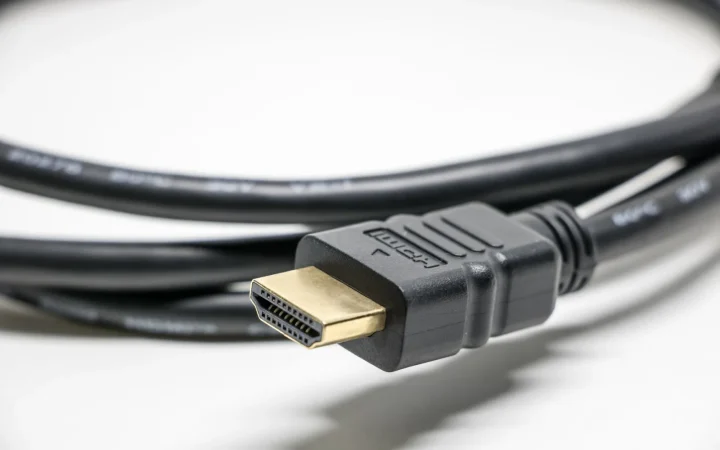
This is also where the cable and the port matter. TrueHD and DTS-HD Master Audio both need the extra bandwidth that eARC adds under the HDMI specification, since standard ARC was built for Dolby Digital Plus and cannot carry either lossless format. eARC versus ARC: what changes covers the practical difference, and HDMI eARC explained walks through confirming the TV and receiver are both actually using it rather than falling back to standard ARC on a shared port.
- Plex dashboard shows Direct Play, not Transcode, for the current stream
- Client device’s own audio output is set to bitstream or passthrough, not a fixed PCM format
- TV and receiver are connected through an eARC labeled port on both ends
- Receiver display shows the actual codec name, not just a generic surround label
When the original track still will not pass through
If every setting above checks out and the receiver still shows a downgraded format, the client hardware itself may not support passthrough for that specific codec. Some budget streaming sticks decode Atmos internally by design and have no bitstream output mode at all, regardless of firmware.
Swapping to a device with a confirmed passthrough mode, a current generation Apple TV or an Nvidia Shield TV are common choices among people setting up Plex specifically for lossless playback, usually resolves it in minutes rather than hours of setting changes.
Older receivers are worth a second look too. A unit bought before roughly 2012 may simply not decode DTS-HD Master Audio or Dolby TrueHD at all, regardless of what reaches it, since decoder support for those formats was not universal on entry level AV receivers of that era. Checking the receiver’s own manual for the specific codecs it decodes takes ten minutes and rules out a fault that no Plex setting can fix.
If the file itself was a lossy rip rather than a genuine remux, no setting will recover detail that was never encoded into it in the first place, and it is worth checking the source file’s own audio track information before assuming a setup problem. What streaming audio formats actually deliver is a useful comparison once local playback is sorted, since the two delivery methods hit different limits for very different reasons.
Questions readers ask about this
Yes, provided the source file actually carries an Atmos-enabled TrueHD track, the server is set to Direct Play rather than transcode the audio, and the client device has a working bitstream or passthrough output mode. Many budget streaming sticks and browser based playback cannot do this regardless of server settings.
Usually one of three things: a subtitle track requiring burn-in, a container or codec combination the client reports it cannot handle directly, or a server side audio setting like loudness normalization that forces re-encoding. Checking the Plex dashboard during playback shows exactly which reason applies.
It can, but a Blu-ray remux running 20 to 40 Mbps combined needs a genuinely stable connection, and Wi-Fi rarely holds that steady for hours without an occasional stutter. A wired gigabit connection between the server and the client removes the variable entirely and is worth setting up first.
No. Browser based playback decodes audio itself before sending it to your speakers, which strips out the original lossless track regardless of server settings. A native app on a streaming box, smart TV, or games console is required for genuine passthrough.
No. Plex Pass adds hardware accelerated transcoding and a handful of other features, but Direct Play of an original audio track works on the free tier as long as the server and client settings both allow it and the client hardware supports bitstream output.

About the author
Rahul Gupta
Rahul Gupta has spent nearly a decade quietly wiring living rooms, testing soundbars in every awkward apartment layout imaginable, and untangling the kind of HDMI handshake problems that make people give up on Atmos altogether. He writes here about what actually works when you get the boxes home—not what the spec sheet promises. If a piece of gear on this site earns a recommendation, it earned it in a real room with real furniture, not a lab.