Key takeaways
- An HDMI audio extractor sits between a source and a display, passing video through unchanged while pulling a separate audio feed out for a sound system that has no HDMI input of its own.
- Most affordable extractors output over optical, which caps at Dolby Digital 5.1 and DTS 5.1, so an Atmos signal arriving on the input still leaves as ordinary surround sound at best.
- A splitter duplicates an entire HDMI signal to two displays at once and does not extract audio for a separate device, which is the most common confusion between the two products.
- A budget extractor built to an older HDCP specification can cause a 4K source to fail its handshake entirely, producing a black screen rather than simply a lower quality picture.
- Where a TV or soundbar already has ARC or eARC available, an extractor is an unnecessary detour that adds a format ceiling rather than removing one.
A projector with genuinely no audio output at all is a more common problem than it sounds, and an HDMI audio extractor exists specifically to solve it. Understanding what the little box between the source and the screen actually does, and what it cannot do, avoids buying the wrong one or expecting Atmos from a device that was never built to carry it.
What an extractor actually pulls out of the signal
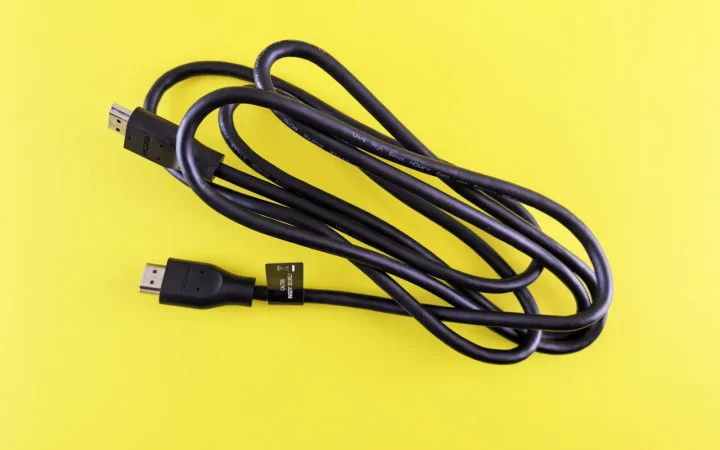
An HDMI signal carries video and audio together down the same cable. An audio extractor sits between a source, a streaming box, a games console, a cable box, and the display, passing the video through to the screen unchanged while pulling a separate copy of the audio out through its own port, usually optical, sometimes analog stereo, occasionally digital coax.
That separate audio output is what then feeds an older sound system, a stereo amplifier, or a soundbar that has no HDMI input of its own. Without the extractor, a display with no audio output whatsoever, many projectors included, has no way to send sound anywhere at all.
Where it sits in a real signal chain
The wiring order matters. Source device to extractor by HDMI, extractor to display by HDMI, extractor to sound system by whichever secondary port it offers. Reversing that order, running the extractor after the display rather than before it, does not work, since a projector or an older TV rarely has an HDMI output port to feed one from in the first place.
A home cinema room built around a ceiling mounted projector is the clearest example. The projector itself typically has no audio output, so the extractor sits ahead of it, taking the same HDMI feed from a streaming box and splitting off an optical output that runs to a separate AV receiver or soundbar positioned elsewhere in the room.
Power matters here too. Most extractors draw power either from a small included adapter or from the HDMI port itself over a USB style connector, and a unit relying entirely on port power sometimes struggles to drive both the video passthrough and the audio extraction reliably. Checking whether a dedicated power adapter is included is worth doing before installation day, not after.
What it cannot do: the format ceiling underneath
Most affordable extractors, priced roughly 20 to 40 USD, output over optical, and optical caps out at Dolby Digital 5.1 and DTS 5.1. Even when the HDMI signal arriving at the extractor genuinely carries Dolby Atmos, the optical output on the other side has no bandwidth for the object based metadata that format depends on, so it arrives at the sound system as ordinary 5.1 at best.
A small number of pricier extractors add a coax digital output or a second HDMI audio only output, which can carry more, but the specification sheet needs checking line by line rather than assumed. What optical can and cannot carry covers the exact format ceiling in more depth.
An extractor is a workaround for a display with no audio output, not an upgrade path to Atmos. Treat its output as equivalent to optical, generally Dolby Digital 5.1 or DTS 5.1 at best, regardless of what arrives on its HDMI input.
Splitter versus extractor: two different jobs
A splitter duplicates an entire HDMI signal, video and audio together, to two or more displays at once, a TV and a projector sharing one source, for instance. It does not pull audio out to a separate device at all, and buying one expecting an audio output is the most common confusion between the two products.
An extractor does the opposite job: one display, one source, but a second audio path peeled off for a sound system the display itself cannot feed. Confirming which job is actually needed before buying either box avoids returning the wrong one after wiring everything up.
Some combined units exist that split video to two displays and extract audio at the same time, aimed squarely at a projector plus TV setup sharing one source while also feeding a separate sound system. They cost more than either single purpose box, roughly 50 to 100 USD, and are worth it only when both jobs are genuinely needed at once.
Where cheap units fail on 4K, HDR, and copy protection
HDCP, the copy protection built into HDMI, requires version 2.2 or later for 4K content from services like Netflix in its highest tier or from a 4K Blu-ray disc. An extractor built to an older HDCP 1.4 specification can cause the source to fail its handshake entirely, producing a black screen rather than a picture, or force the source to fall back to 1080p to keep the connection alive.
Bandwidth is a separate problem. A budget extractor rated for 1080p only will downgrade a 4K signal passing through it even if HDCP is not the issue, since its internal processing was never built for HDMI 2.0’s 18 Gbps, let alone HDMI 2.1’s 48 Gbps. Checking a unit’s stated HDCP version and maximum resolution before buying avoids both failure modes.
A unit priced from roughly 40 to 80 USD generally handles 4K and HDCP 2.2 correctly, while anything cheaper should be checked against its specification sheet line by line rather than assumed capable. The Digital Content Protection licensing body maintains the current HDCP specification versions that a device’s compliance is actually measured against.
When one is actually worth buying
A projector with no audio output feeding an existing AV receiver or soundbar that lacks a matching HDMI input is the clearest case where an extractor earns its cost. An older television with no ARC or eARC port at all, needing one more HDMI source while keeping an existing optical only sound system, is the other common one.
Where the TV or soundbar already has ARC or eARC available, an extractor is an unnecessary detour that adds a format ceiling rather than removing one. What changes between ARC and eARC is worth checking first, since either path outperforms an extractor’s optical output whenever it is actually available.
A home cinema build with a ceiling projector and an older AV receiver with no HDMI input at all needed exactly this setup. An extractor placed ahead of the projector, feeding the receiver’s optical input, delivered clean 5.1 surround from every streaming app without touching the projector’s own limited connections. Atmos was never on the table with that receiver regardless of the extractor, which the owner accepted once the format ceiling was explained plainly.
- Confirm the display genuinely has no ARC, eARC, or audio output before buying anything
- Check the extractor’s stated HDCP version against your source’s requirement, 2.2 or later for most 4K content
- Treat the extractor’s audio output as equivalent to optical: no Atmos, no DTS:X
- Wire it source to extractor, extractor to display, extractor to sound system, in that order
Before ordering one at all, check whether the display in question has an ARC or eARC port hiding under a different label than expected. Whether the soundbar or the TV should be the hub for the rest of the room is the more relevant question if that port already exists, since an extractor solves a problem that ARC or eARC would otherwise remove for free.
Go and check the back panel of the display first, before opening any shopping tab. Ten minutes with a torch behind the projector or the TV settles the entire question, and it is the one step that most avoids buying hardware that was never actually needed.
Questions readers ask about this
Almost never with a typical budget unit. Most extractors output over optical, which caps at Dolby Digital 5.1 and DTS 5.1 with no bandwidth for object based metadata, so an Atmos signal arriving at the extractor's HDMI input still leaves as ordinary surround sound on the other side.
A splitter duplicates the entire HDMI signal, video and audio together, to two or more displays at once. An extractor does not duplicate anything for a second display. It pulls a separate audio feed out of a single HDMI signal for a sound system the display itself cannot feed.
Yes, if the extractor's HDCP version is older than what the source requires, generally 2.2 or later for 4K streaming and UHD Blu-ray. The handshake fails entirely rather than degrading gracefully, producing no picture at all until the extractor is removed or replaced.
No. Connecting a soundbar or receiver directly to the TV's eARC port carries more, including lossless disc audio, than an extractor's optical output ever will. An extractor only earns its cost when the display genuinely has no ARC, eARC, or other audio output at all.
Roughly 40 to 80 USD for a unit confirmed to handle HDCP 2.2 and full HDMI 2.0 bandwidth correctly. Anything priced well below that range is worth checking carefully against its specification sheet before assuming it will pass a 4K signal without issues.

About the author
Rahul Gupta
Rahul Gupta has spent nearly a decade quietly wiring living rooms, testing soundbars in every awkward apartment layout imaginable, and untangling the kind of HDMI handshake problems that make people give up on Atmos altogether. He writes here about what actually works when you get the boxes home—not what the spec sheet promises. If a piece of gear on this site earns a recommendation, it earned it in a real room with real furniture, not a lab.